
Description of the problem
DewesoftX allows its users to extend the software's measurement capabilities through Custom C++ Scripts. These scripts can then be used to implement specialized calculations, signal processing methods, and other algorithms that aren't available within the scope of DewesoftX.
This FAQ describes the process of importing pre-existing C++ scripts into DewesoftX. This feature is ideal for users who already have developed scripts and want to import them into DewesoftX.
Steps to import a bundle
Adding C++ script math
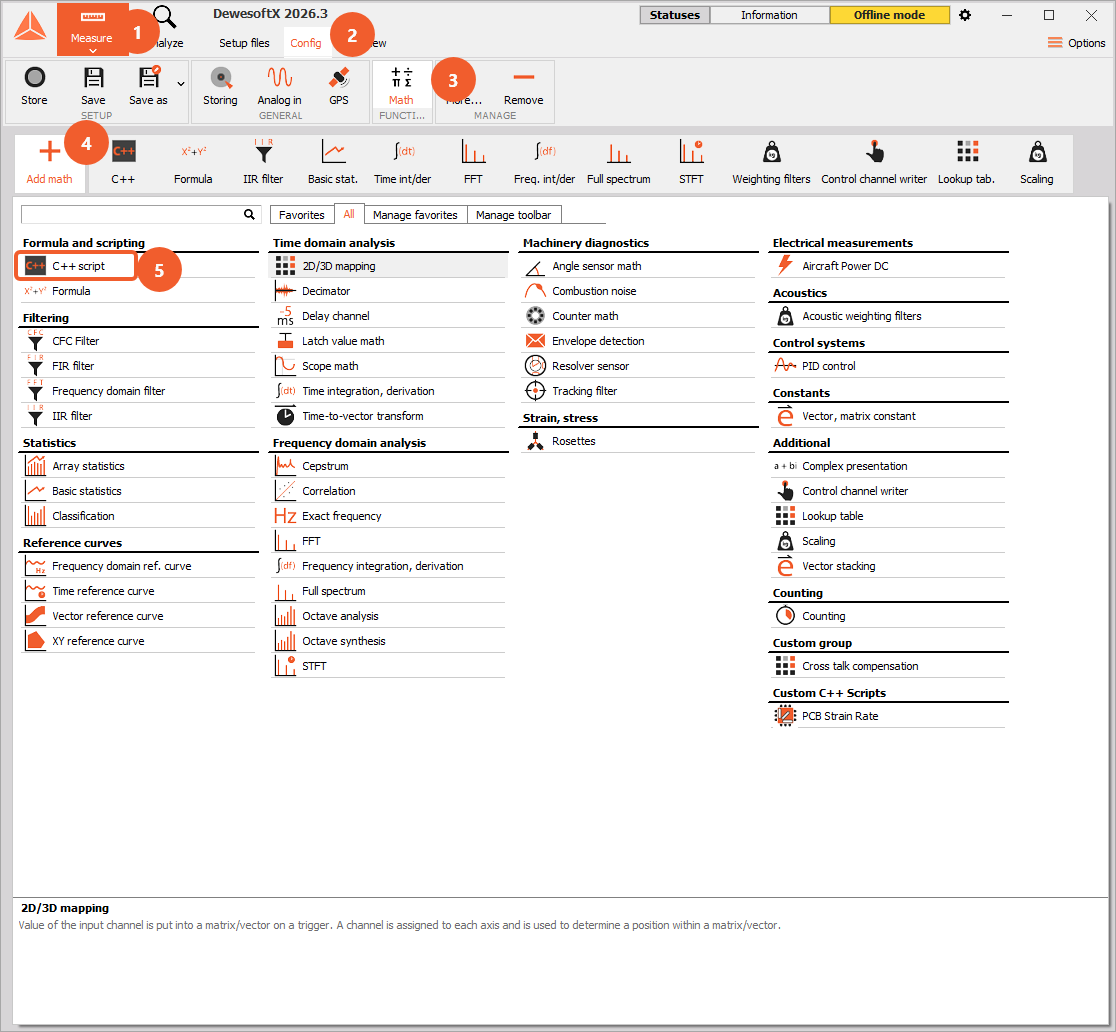
To add a new script, one must first navigate to Measure > Math, then add the C++ Script math option.
Importing scripts as bundles
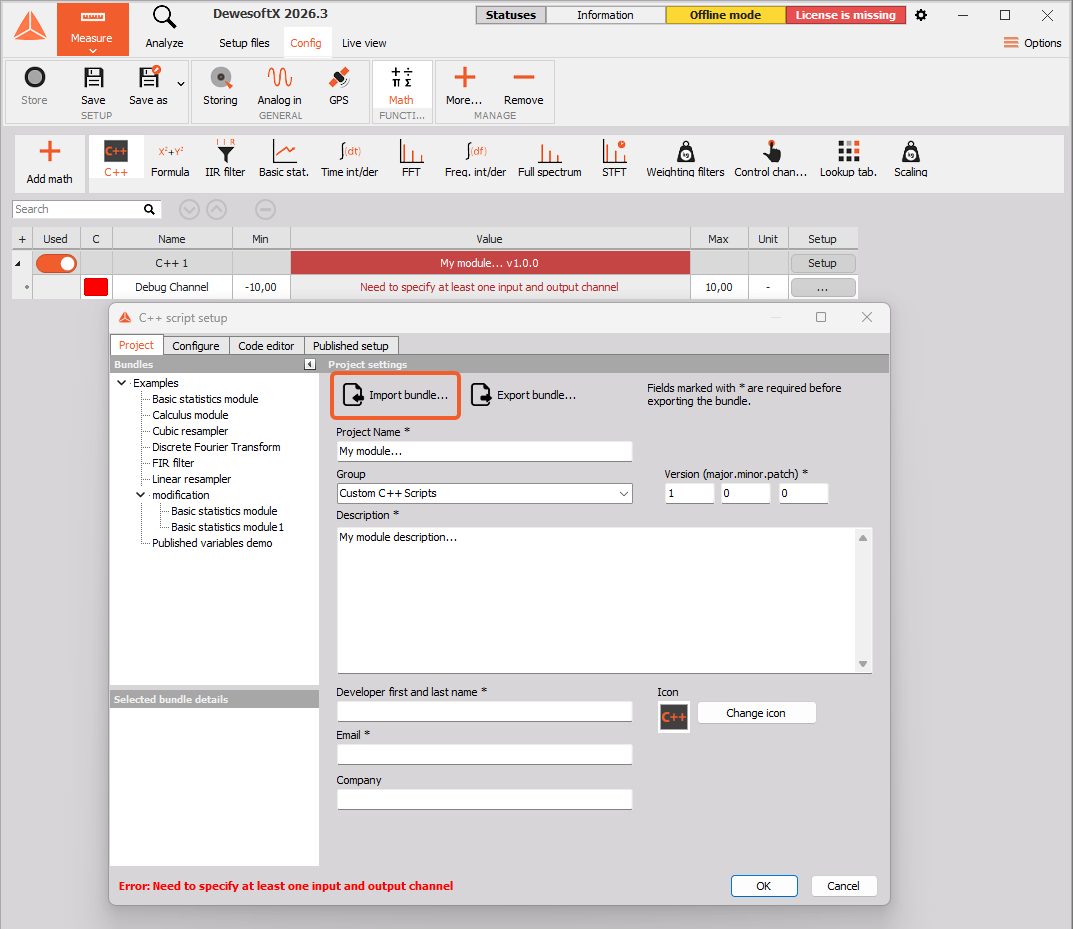
After adding C++ Script math, the module's Setup settings should automatically open. To import a bundle, click on the “Import Bundle” button in the Project tab. After selecting the wanted *.cbu file the script settings will be imported and the selected script can be used.
To import a script as a bundle, the *.cbu file needs to be copied to the following folder:
C:...\Dewesoft\System\Scripts\Cpp
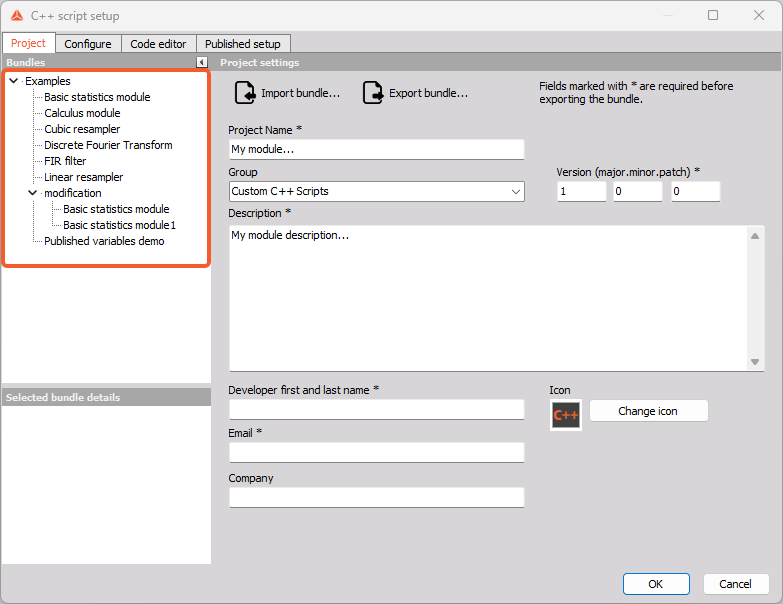
After importing a script as a bundle, the script will be visible on the left side of the setup window every time we open the
C++ Script Setup.
Importing scripts as custom math
If a C++ script is imported onto a measurement-only PC where no code modifications are needed, it can be imported as custom C++ math. In this case, the script itself first has to be exported as a bundle on a PC with a valid C++ license, then, on the measurement PC, the *.cbu file must be copied to the Addons folder.
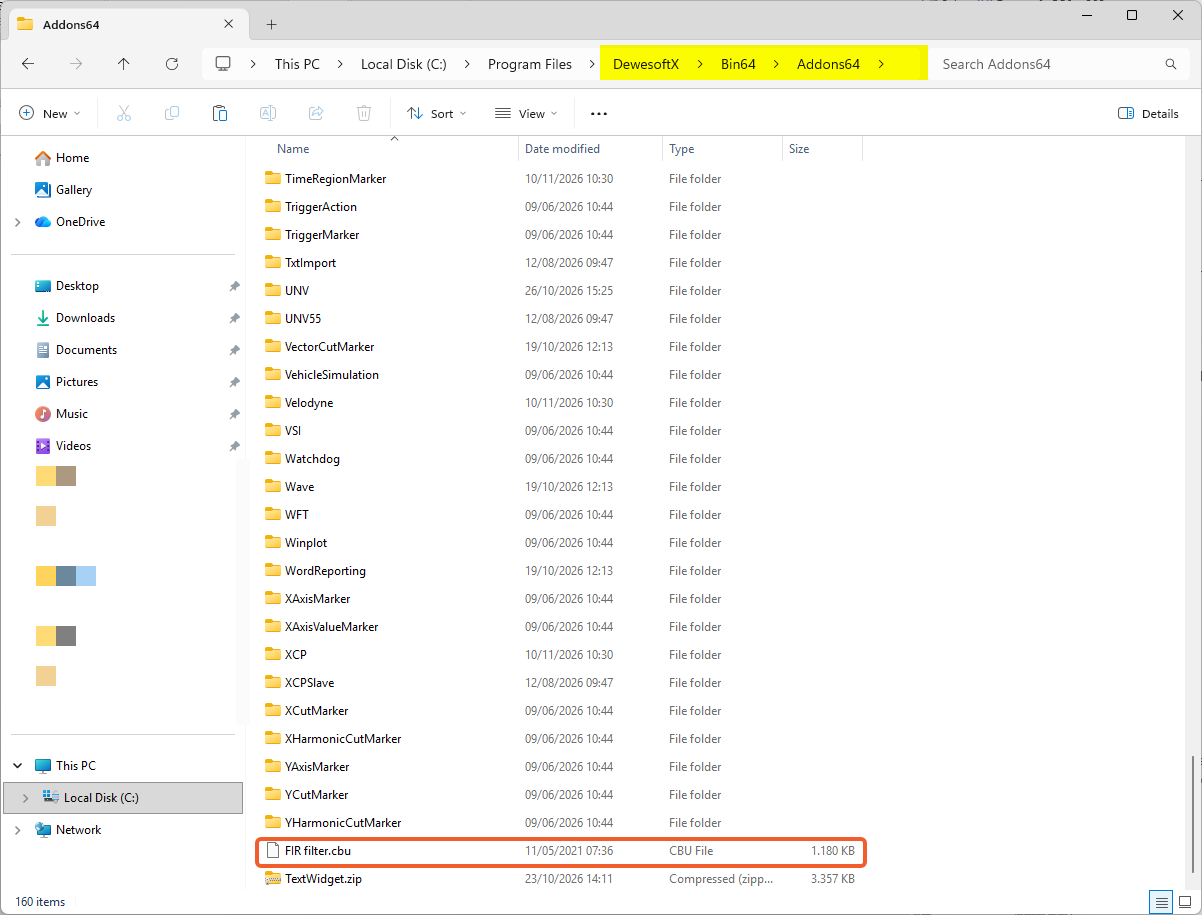
In this case, the scripts will act as individual mathematical option, and will therefore be located under More...> Add math > Custom C++ Scripts.
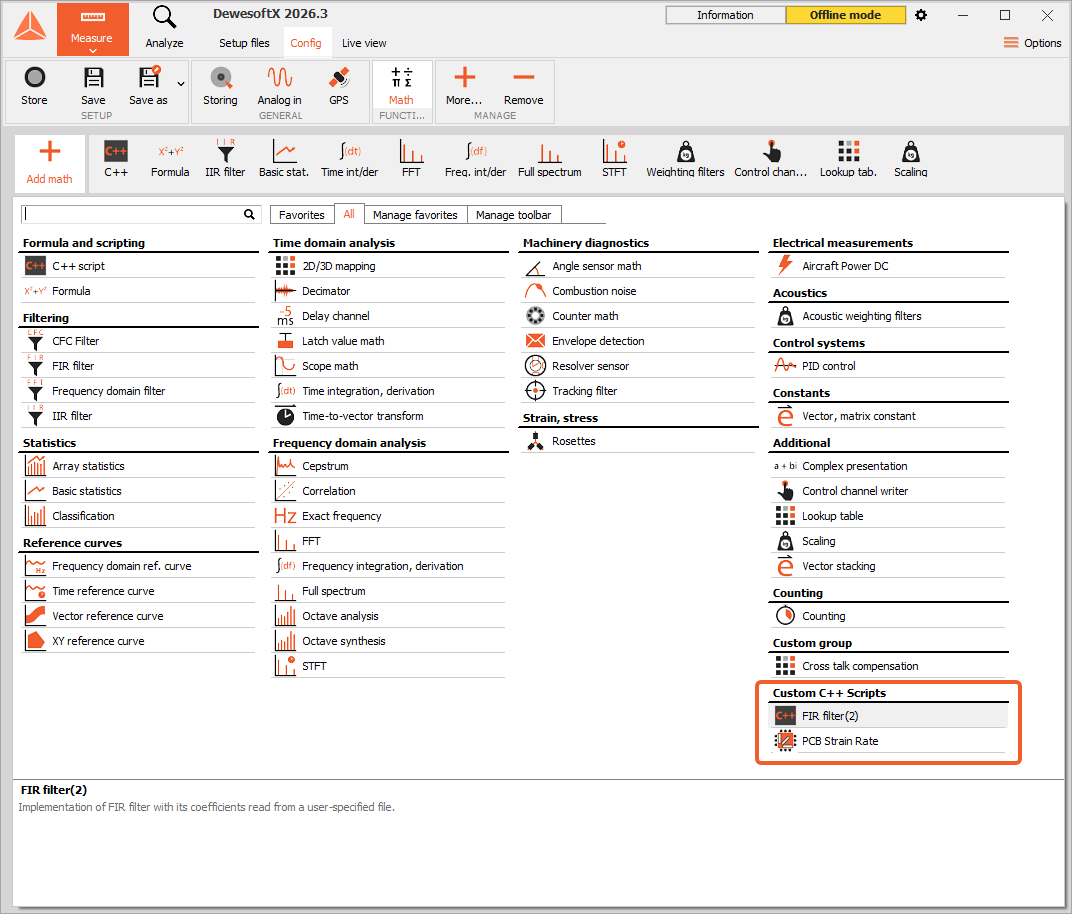
If the newly added scripts are not visible, Dewesoft needs to be restarted.