Introduction
This article complements the Official release newsletter and focuses on graphically representing features that were briefly mentioned in the newsletter under the "What else is new?" section.
The most notable features in the 202X.X release are fully presented in the Official release newsletter and are listed in the following list:
- Data File Merger
- Clean-Up Recorder Marker
- Widget Templates
- Campbell Plot Improvements
- Power Module UI Change
- EIS Plugin
- New Supported Devices: XR9
To enhance the image, either right-click the image directly, which slightly enlarges it, or ''Open image in new tab'' by right-clicking it, which allows you to zoom further into the image.
Export CAN and CAN FD channels in MDF format
In previous versions of DewesoftX, CAN and CAN FD channels were not properly supported in MDF exports; therefore, it was not possible to read the exported files with other tools, such as Famos or CANalyzer. In ASAM MDF version 1.2.0, CAN and CAN FD export is fully supported, and users should now have the ability to further analyze recorded CAN or CAN FD data in third-party software.
Flexibly adjust the y-axis position on the 2D graph widget
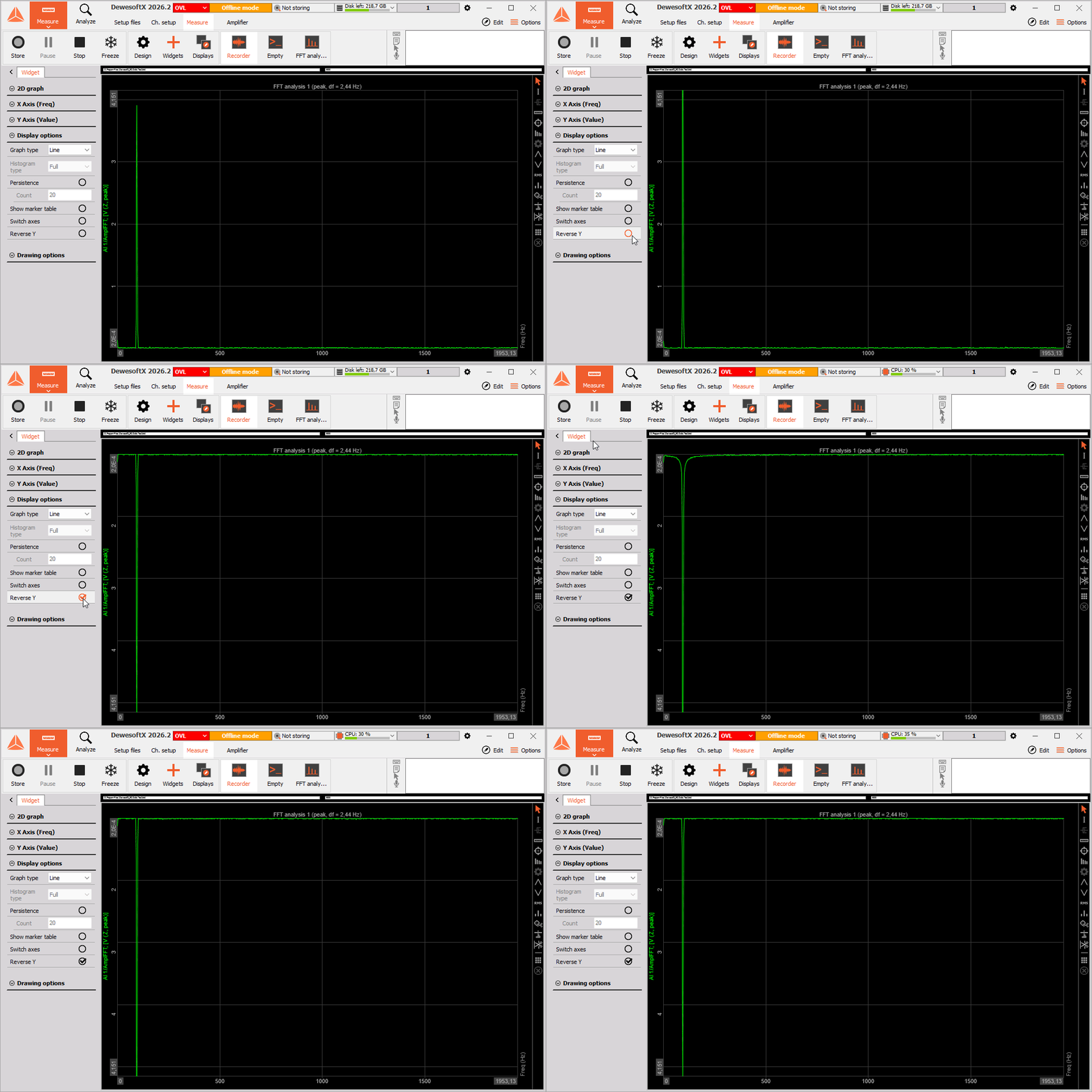
When performing Orbit analysis, many users prefer observing data on 2D graphs with an inverted Y-axis to display phase data with the minimum value at the top of the graph. To optimize the user experience, the option to Reverse the Y-axis has been added to the 2D graph widget in the 2026.2 version of the software. To enable this functionality, open the 2D graph's Settings, then locate the functionality in the Display options tab.
Improve visualization with channel-based coloring in the Bar widget
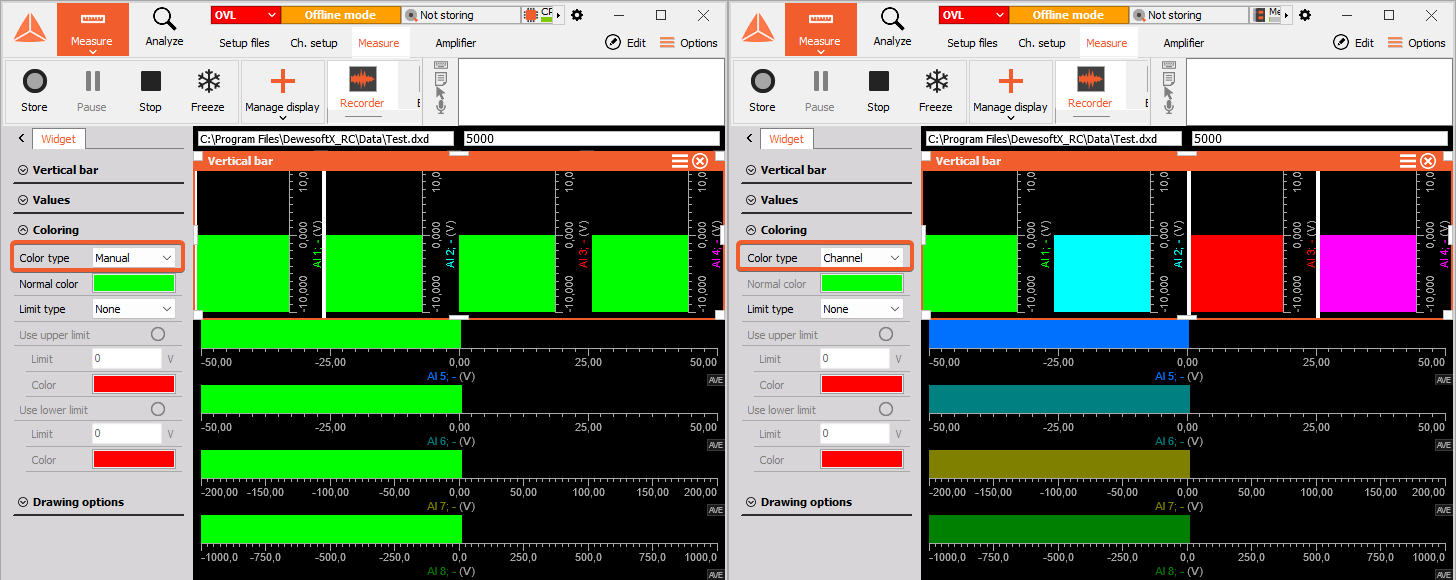
Managing multiple channels on Horizontal and Vertical bar widgets can quickly become confusing. To simplify visualization and ensure the user always knows which channel they are looking at, we've introduced channel-based coloring.
This feature can be found in the Bar widget settings under the Coloring section. To enable channel-based coloring, simply switch the Color type from Manual to Channel.
Orbit analysis improvements
Dewesoft 2026.2 brings several useful features to the Orbit analysis module that will make the module nicer to work with:
Filtered orbits e.g. 1X now contain info about the shaft center position
In the previous versions of the software, Xorbits (extracted orbits) did not contain DC offset information, unlike the Average orbit. As a result, if both an Xorbit and an Average orbit were assigned to the same Orbit plot, they would appear at different locations. In the new version of the software, filtered orbits now contain DC offset information. This allows them to be correctly overlaid with Shaft center channels and Average orbit channels, thus resulting in more accurate data comparison.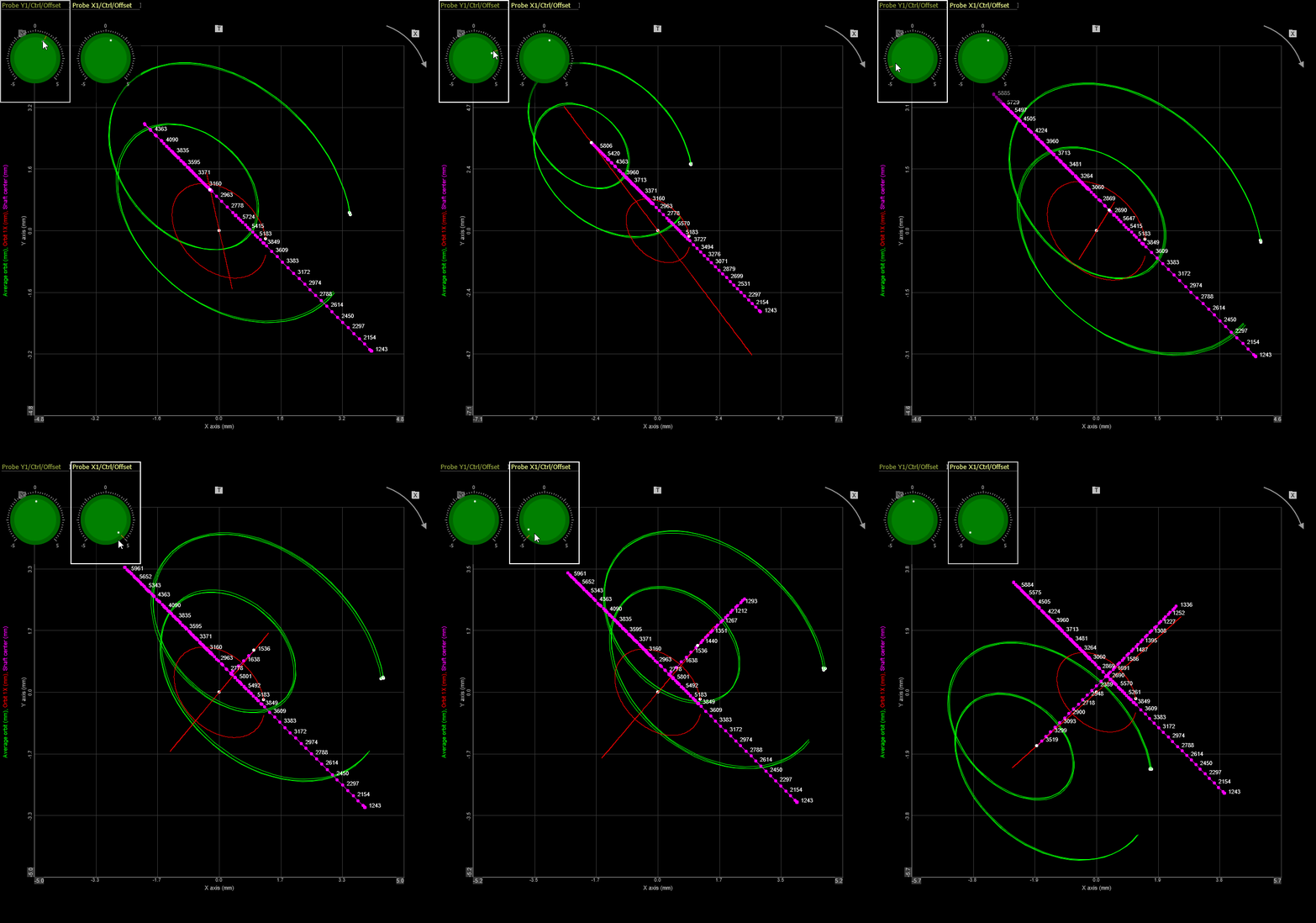
Harmonic compensation table values are now illustrated based on the set Amplitude format
Previously, the Harmonic compensation amplitude in the Bearing setup was peak-scaled, but this was not explicitly indicated. At the request of our users, the scaling has been modified to follow the Amplitude mode input selected in the Calculation setup. Additionally, the active scaling mode is now displayed directly in the column header.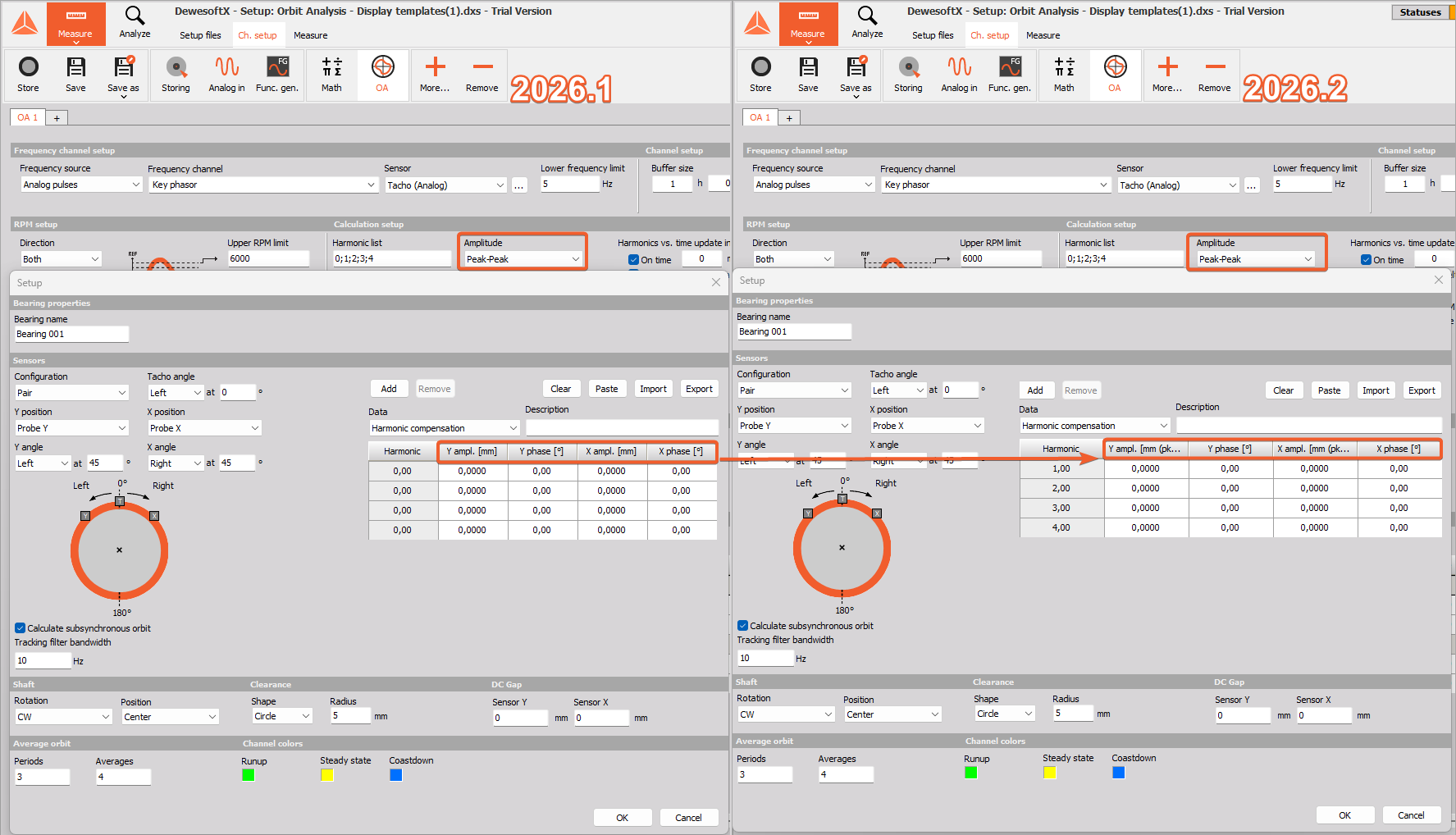
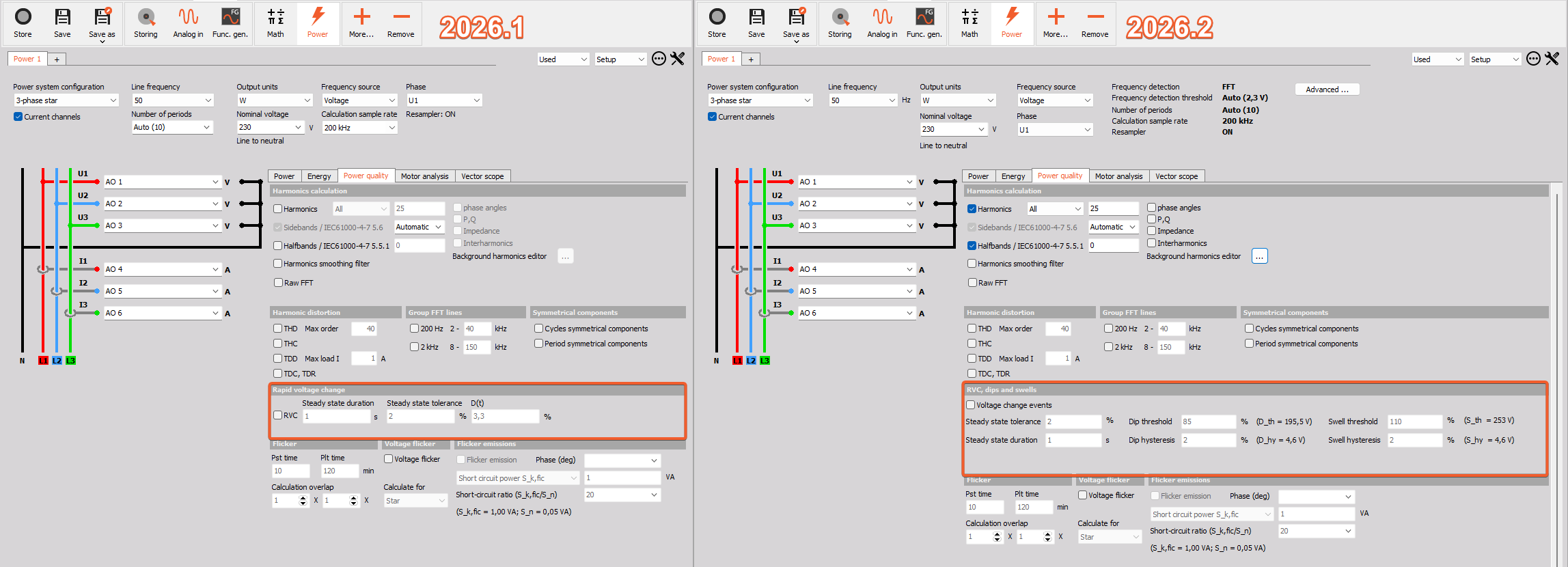
Dip&Swell events according to IEC 61000-4-30
Recently, some DewesoftX Power Analysis users reported receiving RVC (Rapid Voltage Change) event notifications even when the events were actually Voltage Dips and Swells.
To eliminate this confusion, our developers have made it possible to distinguish between these events. We can now define specific parameters, such as magnitude and duration, to accurately categorize Dips and Swells.
Changelog
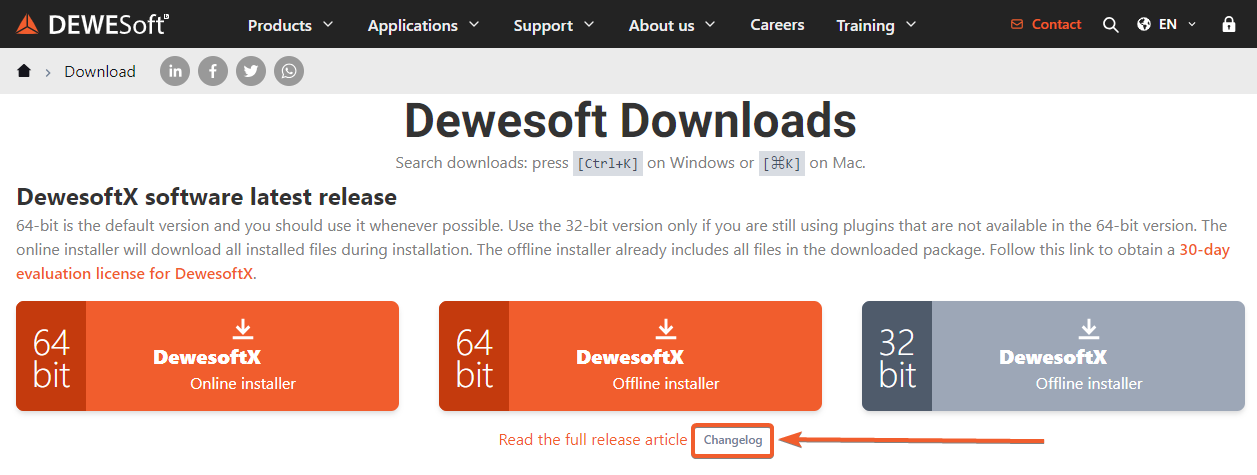
All the changes this release brings are summed up in the changelog. To access it, please open our Downloads webpage, then look for the Changelog under the latest release Offline installer in the DewesoftX software latest release section. There, you can also find the direct link to our full Official release newsletter.