Introduction
This article complements the Official release newsletter and focuses on graphically representing features that were briefly mentioned in the newsletter under the "What else is new?" section.
The most notable features in the 202X.X release are fully presented in the Official release newsletter and are listed in the following list:
- Processing Markers for Recorder Widget
- Order Marker
- Setup Revision
- IP Camera Plugin Improvements
- Phantom camera support
- High-end GNSS receiver
To enhance the image, either right-click the image directly, which slightly enlarges it, or ''Open image in new tab'' by right-clicking it, which allows you to zoom further into the image.
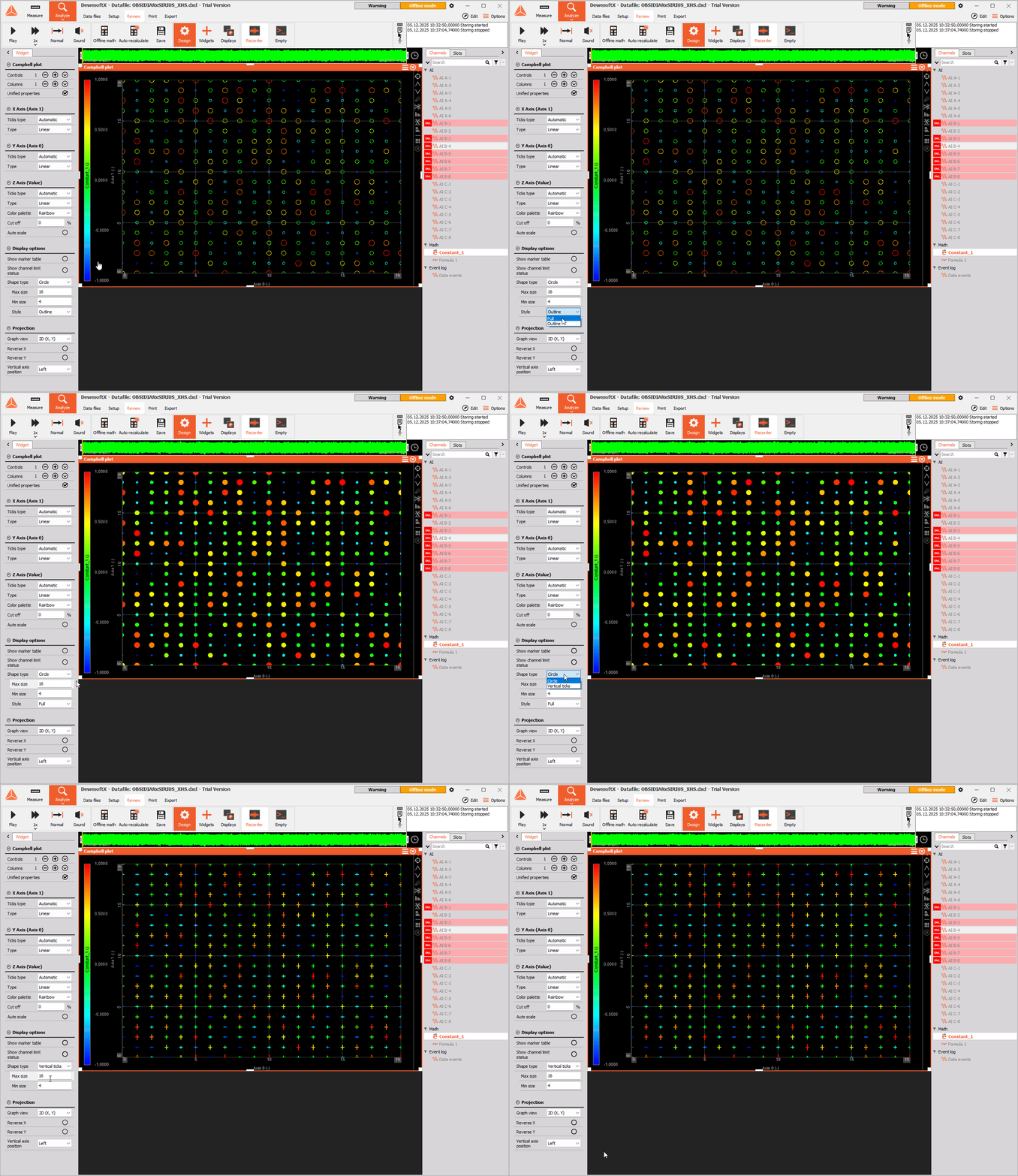
New Campbell plot
Due to user request, the Campbell plot has been reworked and now operates on the basis of a 3D graph. The most notable functionality is the option to exchange the previously hollow circles with circles that can either be full or outlined and ticks. The height of the tick mark represents the amplitude, and the color represents the phase, as was the case with circles in the earlier versions of the software.
This added functionality should now make Campbell diagrams clearer to navigate.
Marker table update
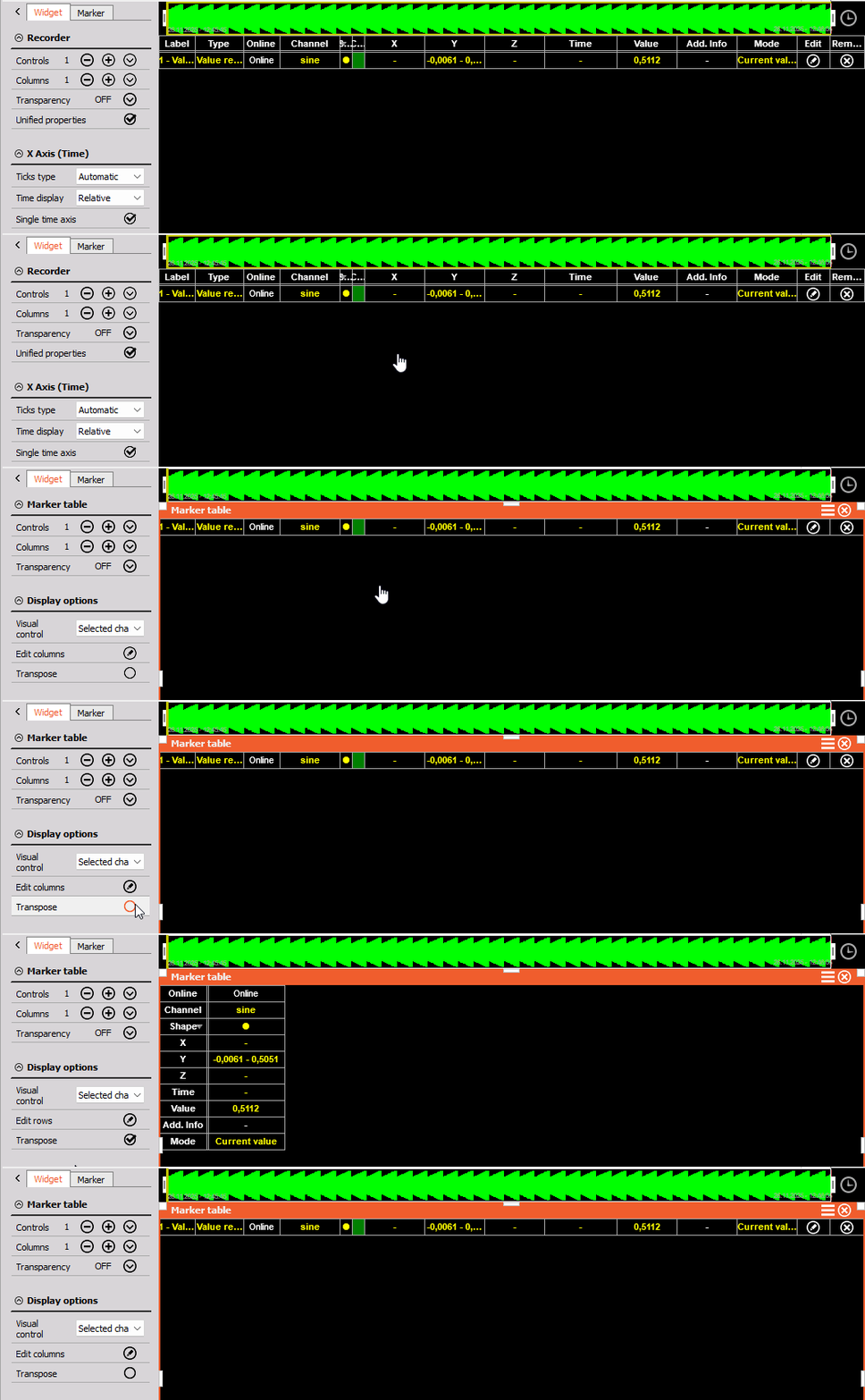
With the improved support for time domain markers on the Recorder, users have expressed an interest in transposing the rows and columns of the Marker table. To ensure everyone can use the Marker table as optimally as possible, our developers have implemented the Transpose functionality under the widget's display options.
Motor Analysis on GPU
In the Power module, Motor analysis had been improved in the DewesoftX 2025.3 version to the point that any distinction between CPU and GPU calculation is no longer visible to the user.
Improved re-calculation performance
One of the more common complaints regarding our software was long recalculation times in data processing/analysis. To tackle this, our developers looked into the core structure of mathematics, such as FFT, Power analysis, and Order tracking and were able to apply modifications that resulted in speedups ranging between 30% and 70%. With the new 2025.3 DewesoftX release, users will now be able to enjoy up to a 2x performance increase at high sample rates.
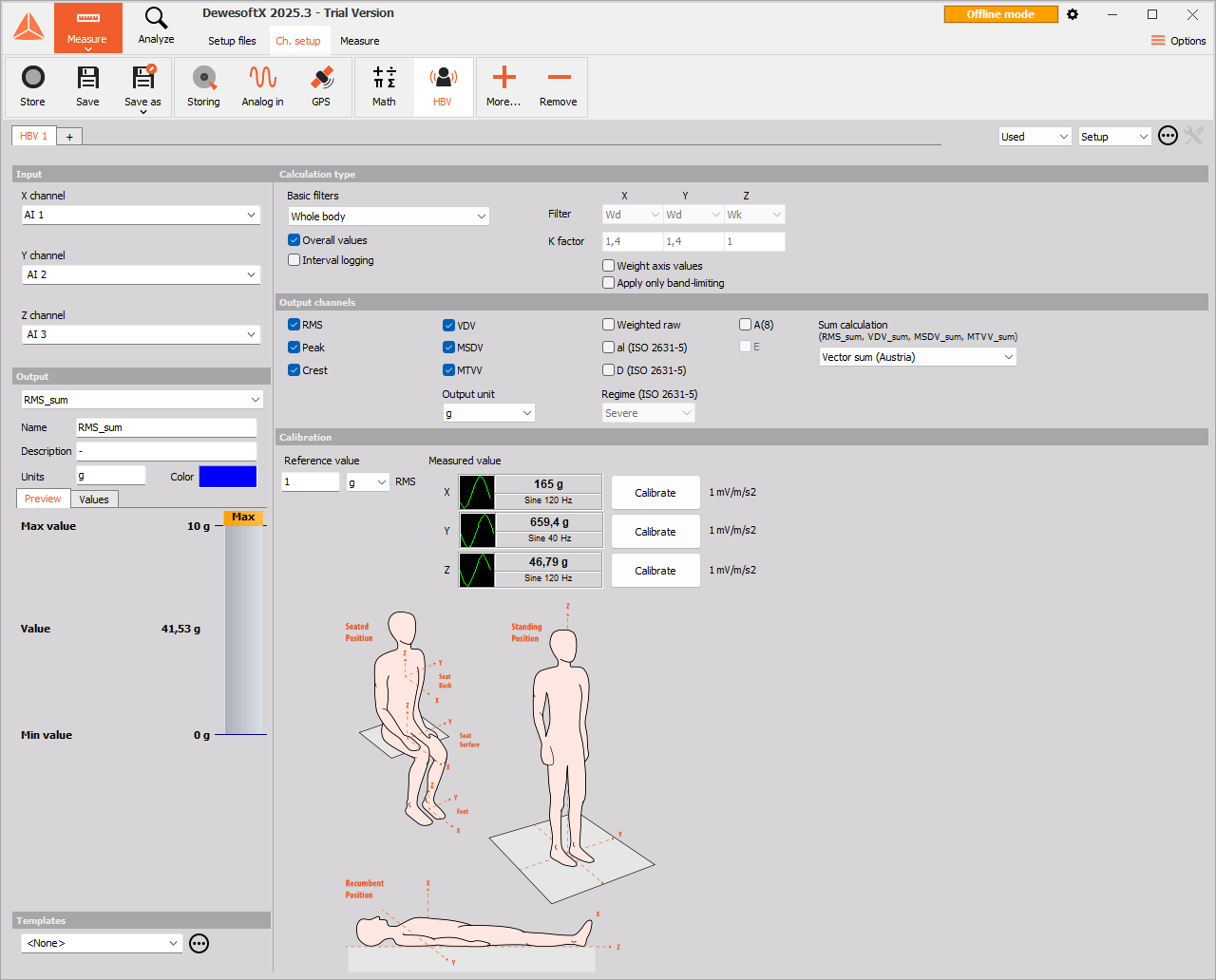
HBV (Human Body Vibration) setup illustrations
In the previous versions of DewesoftX, our Human Body Vibration module failed to clearly explain what the X, Y, and Z channels were supposed to represent. To resolve any confusion, the 1.0.0 version of the module from DewesoftX 2025.3 includes an image where the channels are clearly defined.
Simplified workflow for sound power post-processing
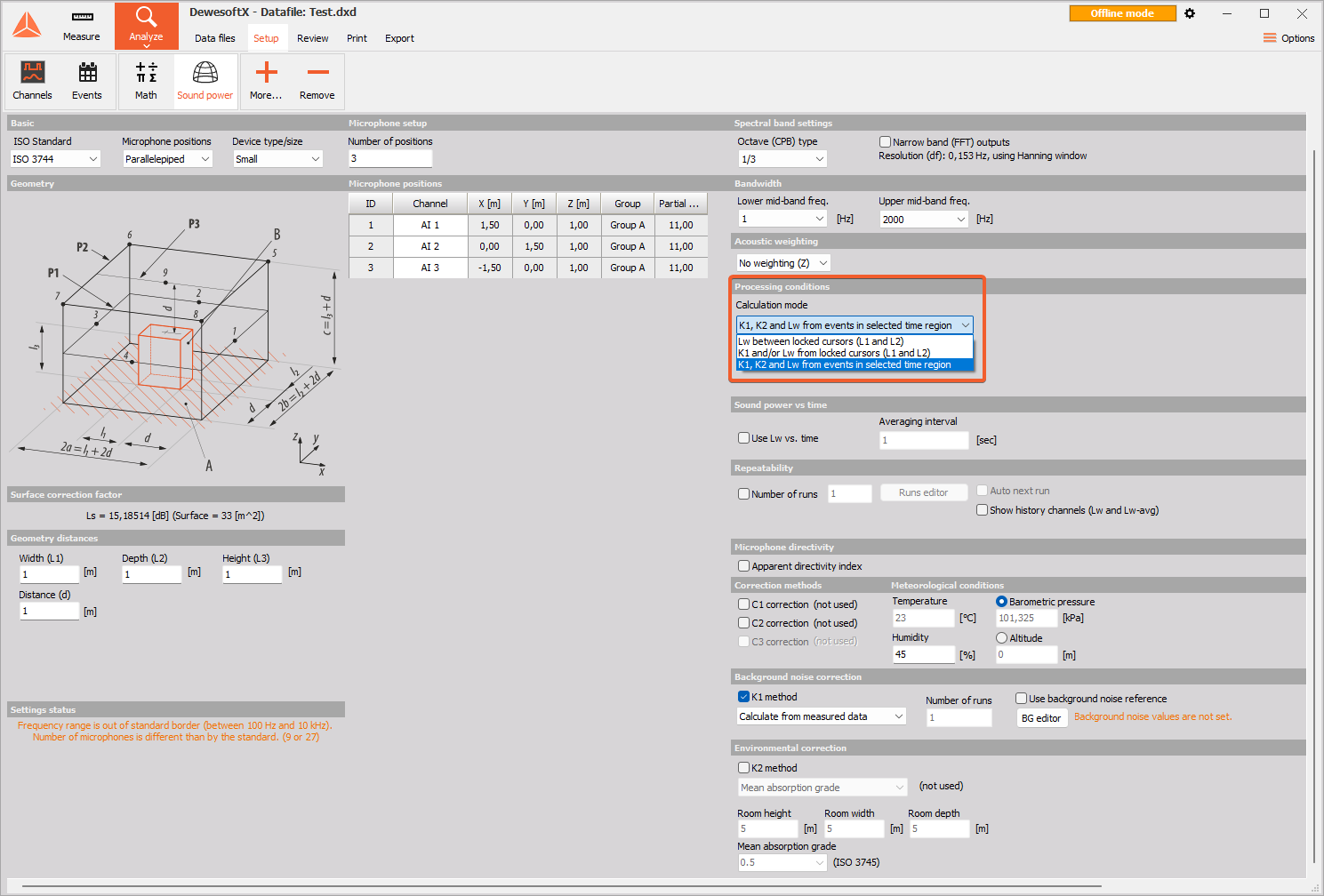
After analyzing user feedback on the Sound Power module, we realized that the processing duration in Analyze mode is not intuitive. To reduce confusion, Sound Power Module 5.4.0. in Analysis mode was improved with a dropdown menu in the Processing conditions section. The user can now choose between:
- Lw (Sound power level) between locked cursors (L1 and L2)
- K1 and/or Lw (Background noise correction and/or Sound power level) from locked cursors (L1 and L2)
- K1, K2, and Lw (Background noise correction, Room noise correction, and Sound power level) from events in selected time region. This option is selected by default, since this is what's used in Measure mode.
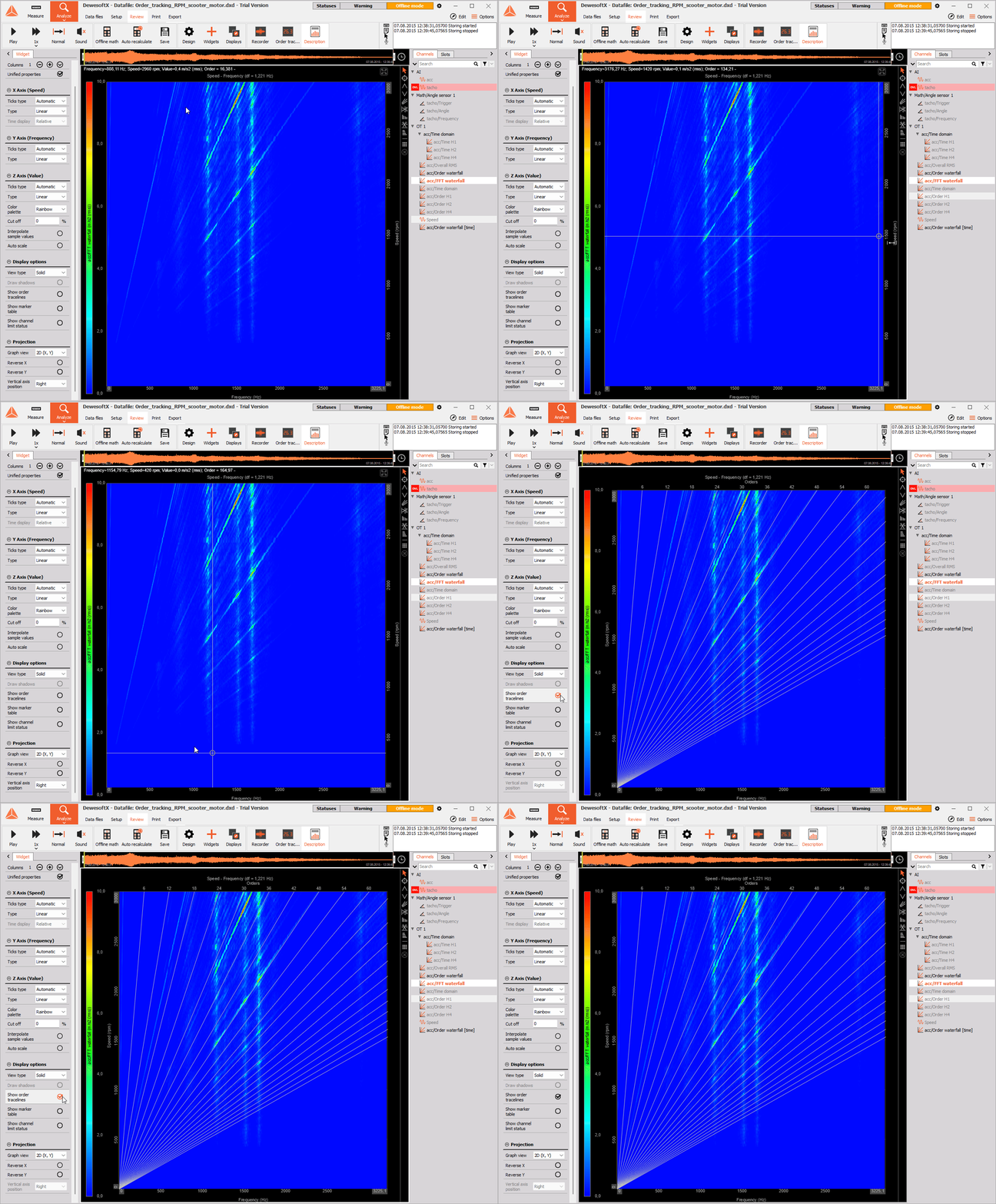
Static order tracelines for Frequency vs speed data in the 3D graph widget
When plotting frequency vs. speed data on a 3D graph, it is now possible to display Order tracelines over it, which will make it easier for the users to determine how a specific harmonic behaves as machine speed changes. This new option is located under the widget's display options.
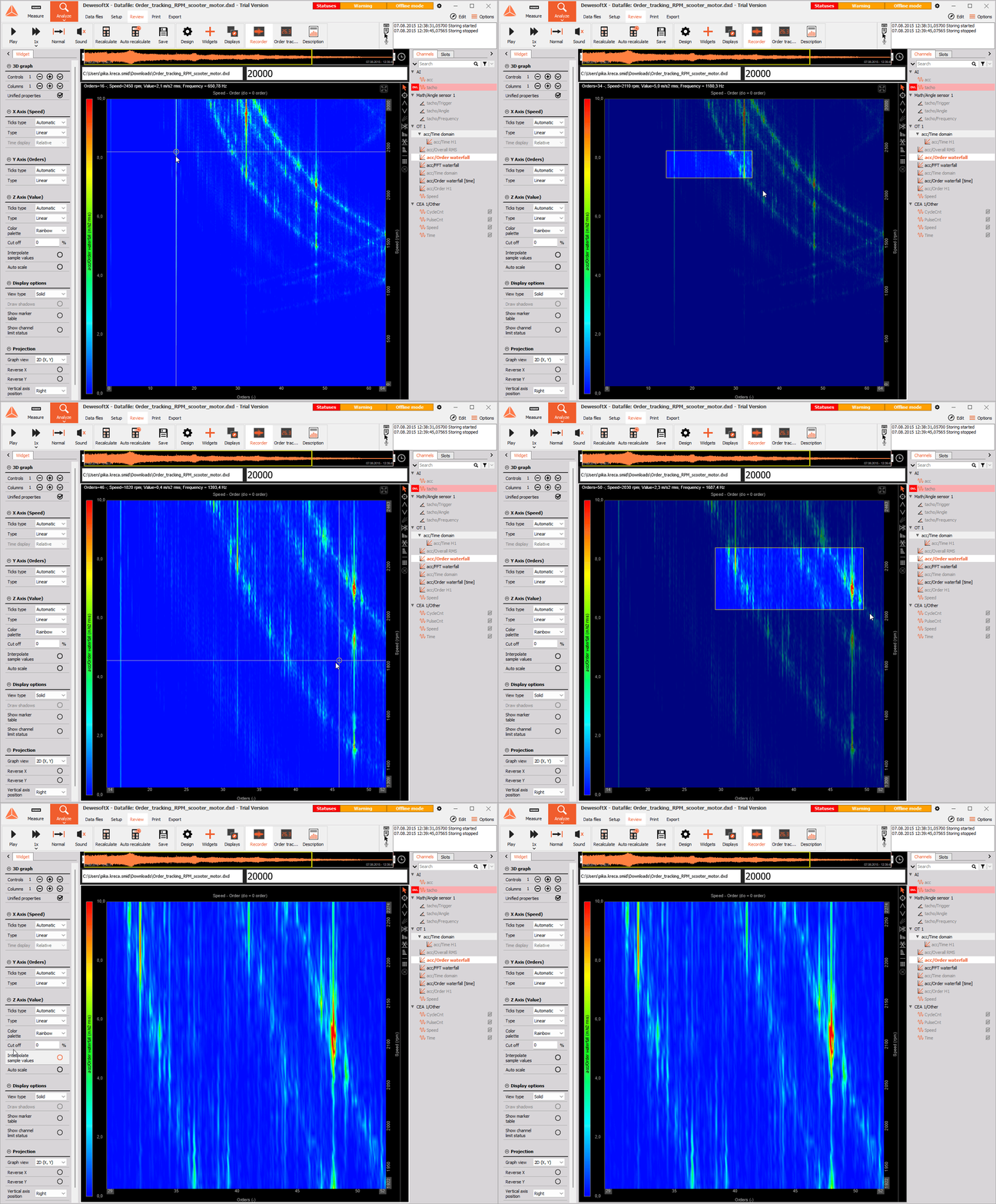
Box zoom for 3D graph
It is now possible to zoom in on the selected area in the 3D graph by clicking and dragging the mouse.
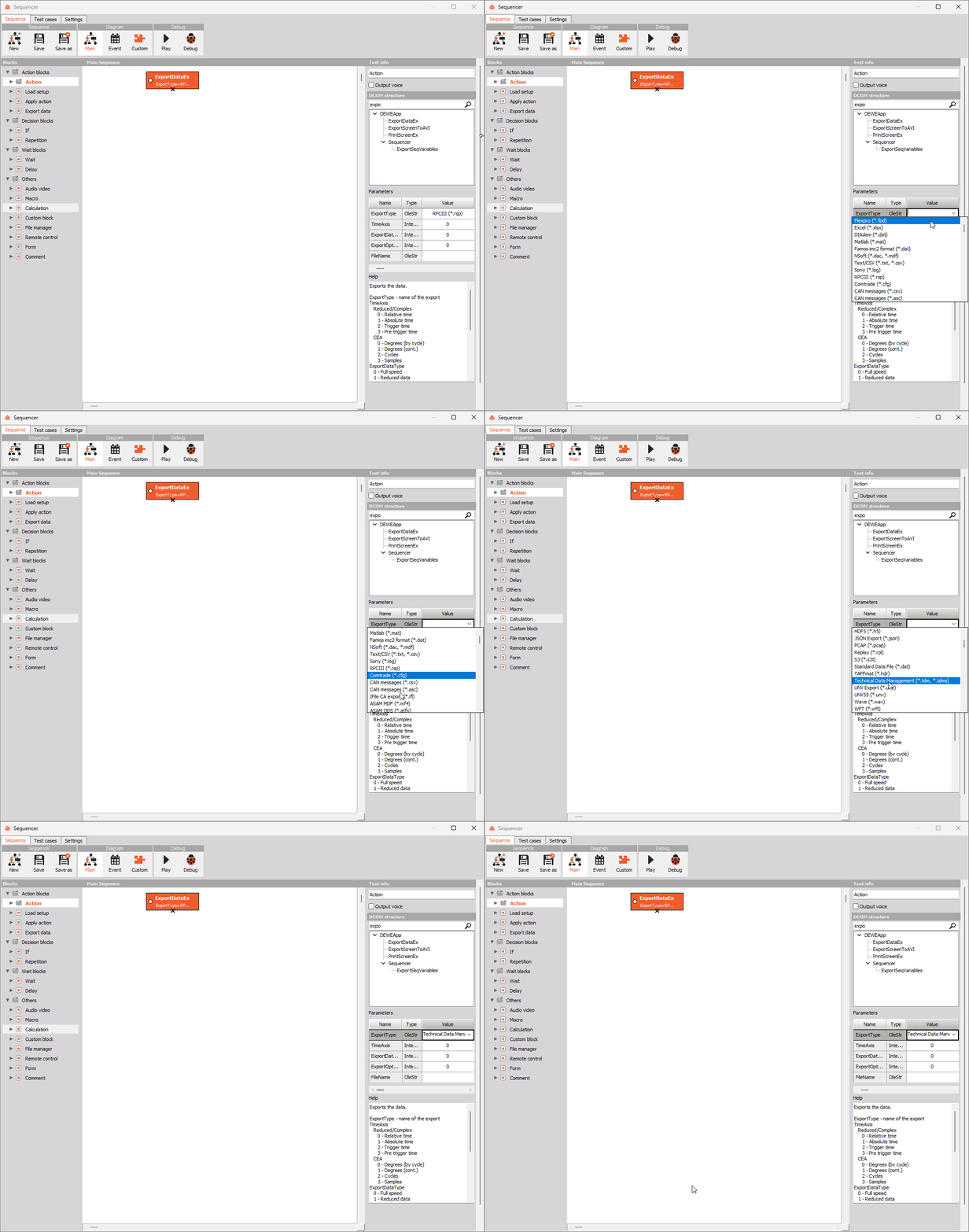
Option to enter Export name instead of export index in the DataExport function (DCOM & sequencer)
When using the ExportDataEx function in DCOM or the Sequencer, it was previously necessary to enter the value of the export we'd like to use by number. Since different users have different exports installed, it is not easy to define the exports by number, since they vary based on which ones are installed on a given computer. To make export type selection easier and faster for anyone looking to work with this functionality, the export type can now be selected by name, not by index.
You can save your display configuration as a template and reuse it in another setup
The new software version introduces an option to save individual displays as templates, which enables the user to quickly and efficiently set up new measurement sessions without having to load an old setup.
To create a template, we simply right-click the icon of the display we'd like to save and select Additional, Save as template option from the dropdown menu.
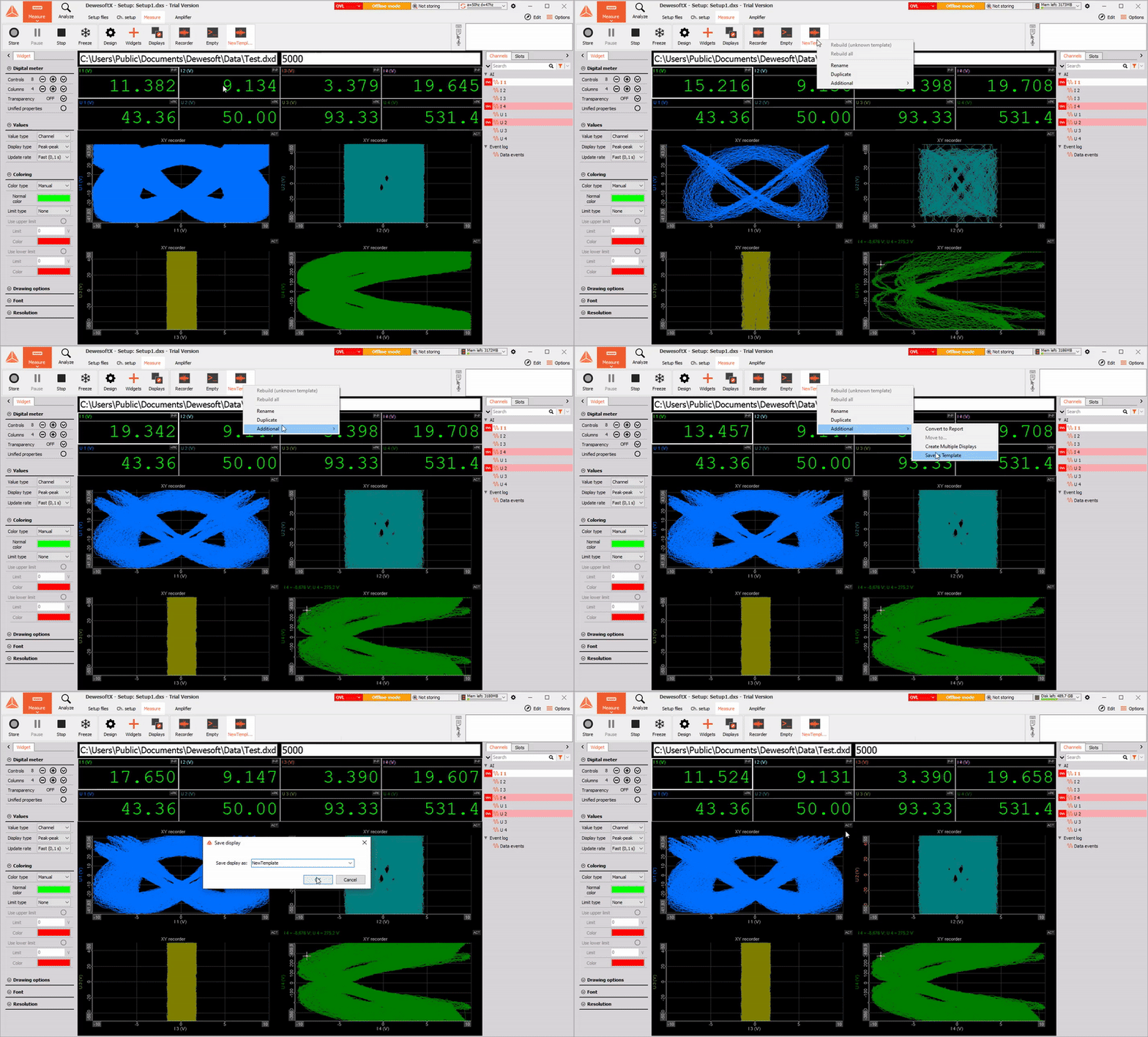
The saved templates can be added to the setup exactly the same way as all the other displays. That is, we simply press the Templates button and then the (+) button to see all the displays that are available to us. Our saved templates are located under the User templates section.
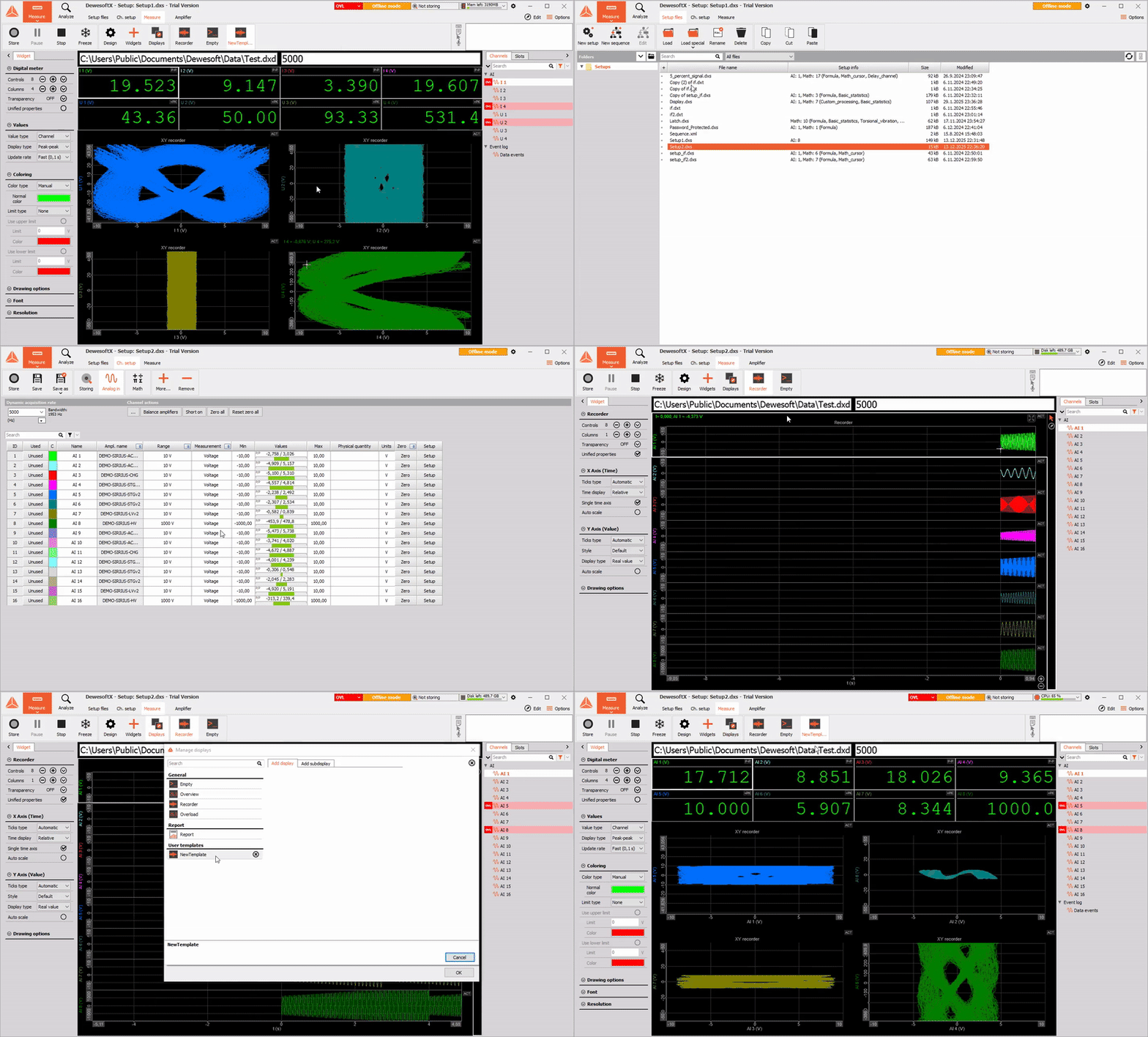
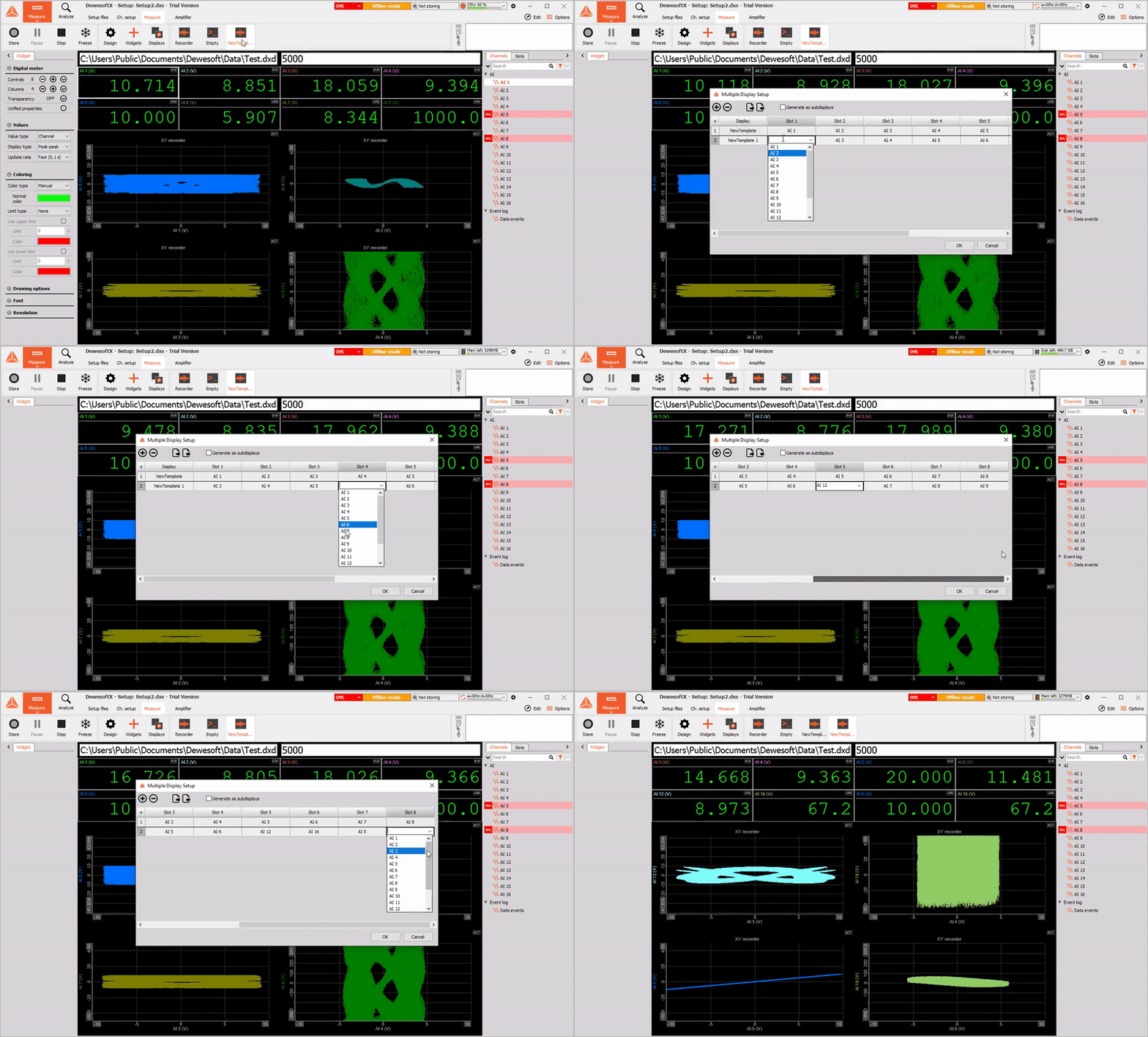
We can now also easily duplicate the same display with the same, or different channels on the widgets as the original. To do so, we right-click into the display we'd like to duplicate, then navigate to Additional, Create multiple displays. From the Multiple displays setup, we can then select the number of displays we'd like to generate, and choose which channel we want to assign to each of the available slots.
'Total average' outputs implemented in CEA
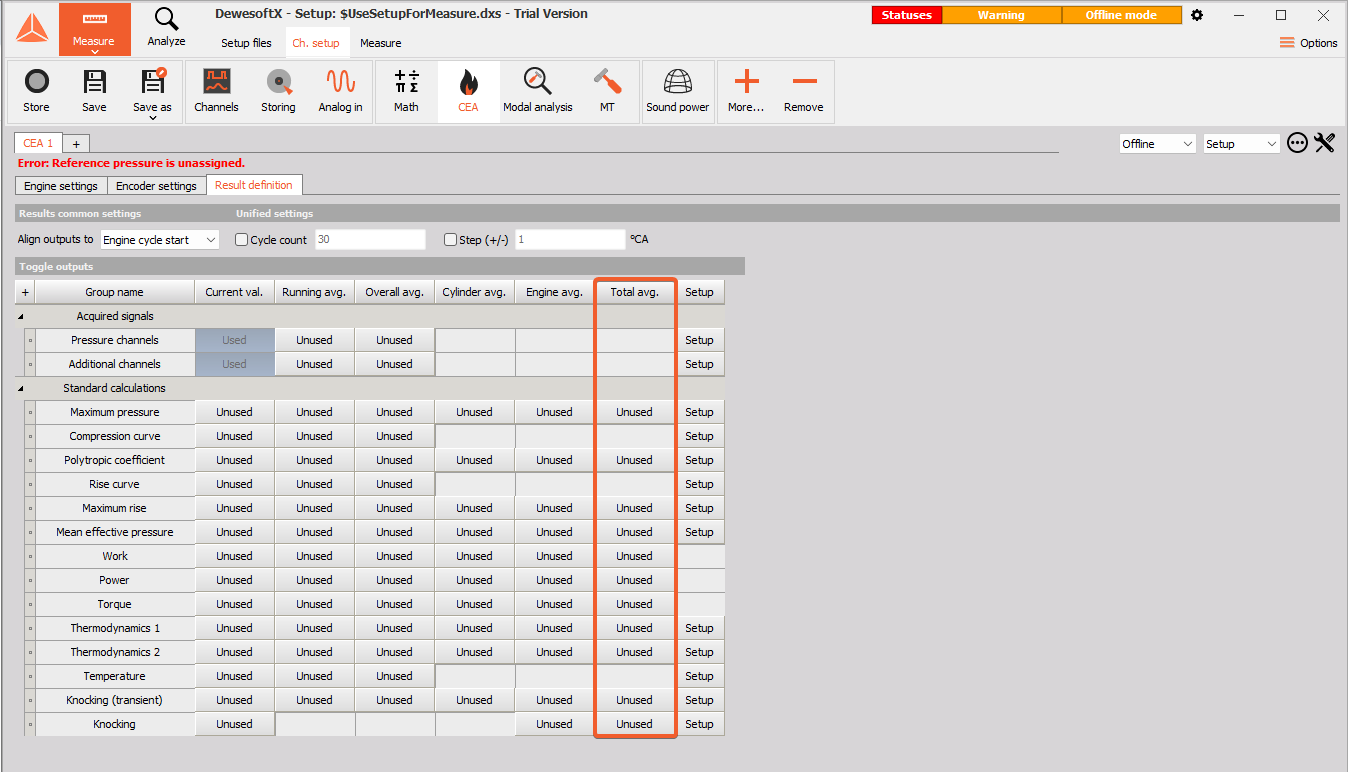
Combustion engine analysis module version 2.0.0 now supports the calculation of an engine overall average for all cylinders and cycles from the start of measurement.
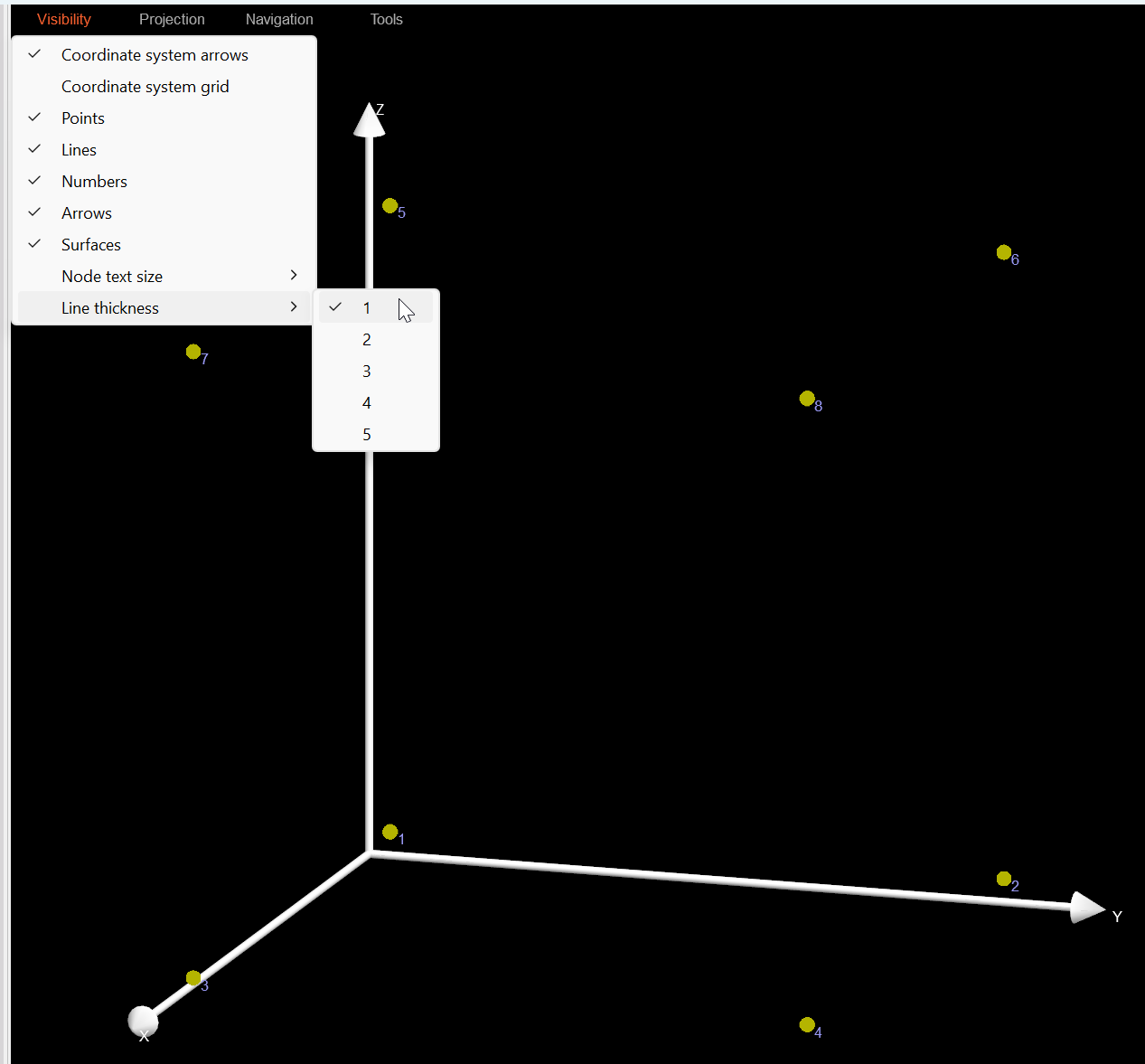
You can now adjust line thickness on the Modal geometry widget
We understand that it is sometimes hard to see the specimen outlines on the Modal Geometry widget. This is why users can now adjust the line thickness, similar to the Node text size changes.
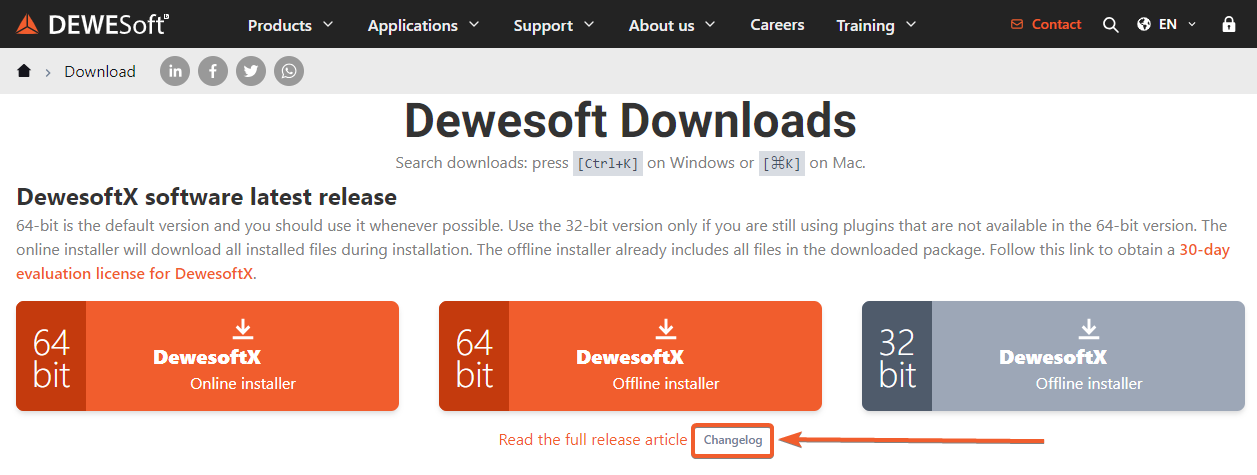
Changelog
All the changes this release brings are summed up in the changelog. To access it, please open our Downloads webpage, then look for the Changelog under the latest release Offline installer in the DewesoftX software latest release section. There, you can also find the direct link to our full Official release newsletter.